The 10 Best AI Agents for Small Business
Picture one person managing IT for 200 employees. Password resets, software access requests, equipment issues, all of it piles up while security updates and infrastructure projects collect dust. AI agents can take that coordination work off your plate, but the platforms differ enormously in what they hand you: some ship configured agents for common requests, others hand you a builder and a blank canvas.
Small teams are already getting real numbers out of this. Unit supports 200+ employees across three countries with a two-person IT team, cutting helpdesk labor by 60%. Mirakl went from over 120 manual IT actions a month to zero and now runs 16 automated workflows.
This guide ranks ten platforms on pricing model, integration depth, autonomy, and setup effort, across the use cases small teams actually automate: support deflection, lead qualification, CRM logging, access provisioning, and onboarding.
TL;DR:
- The right platform depends on your technical resources and whether your use case is genuinely unique or a known, solved problem.
- No-code tools like Lindy suit teams who want workflow flexibility without writing code, while developer frameworks like AutoGen and CrewAI offer full customization at the cost of Python skills and ongoing maintenance.
- n8n fits ops teams who want self-hosted, execution-priced automation.
- Pricing model matters more than sticker price: credit-based plans are the volatile ones for an always-on agent, and outcome pricing rises exactly when volume spikes.
- Autonomy is a dial, not a switch. Most workflows should start with a human approving each action and graduate one at a time.
- If the work you need to hand off is employee support, Siit ships its agents already configured for IT, HR, and Finance, priced per admin so cost stays flat as headcount grows.
What to Look For in an AI Agent Platform
Five checks, in the order that eliminates platforms fastest. Run them before the demo, because some products sold as agents are really assistants that draft while a human still does the work.
Match the tier to your staffing, not your ambition. No-code builders deploy in days. Low-code platforms like n8n expect someone comfortable with API credentials and workflow logic. Developer frameworks like AutoGen and CrewAI need Python and permanent maintenance. At a two-person IT team, anything requiring ongoing engineering attention never leaves pilot.
Weigh integration depth over integration count. One access request touches identity, device management, and your HRIS at once. Native connections to all three resolve it; a 9,000-app library that reaches one of them just opens a ticket about it. "Connects with some API work" means that work is yours.
Price your busiest month, not your current one. Five models, and the model moves the bill further than the sticker does:
- Per-seat: every hire raises the bill whether they use it or not
- Per-admin: flat per operator with employees free, so cost stays level as headcount climbs
- Credit or usage-based: the volatile one for an always-on agent, since a cheap-looking workflow can drain the pool the month it runs at volume
- Execution-based: per workflow run rather than per step, the easiest to forecast
- Outcome-based: spend tracks value, and spikes with volume
Buy the autonomy level you will actually switch on. Low means the agent drafts and a human executes. Medium means it executes after a named approver clicks. High means it acts inside your guardrails with every action logged. Start at medium and promote one workflow at a time as the audit log earns it.
Check what sits behind the enterprise tier. SOC 2 reports and audit logs are commonly gated there, which changes the real price. Confirm too that the desk still works with AI switched off, so one misfire does not leave you with a dead queue, and that requests can start in Slack or Teams. If using the agent means opening a portal, you are back to fielding DMs and the pilot dies of neglect.
Top AI Agent Platforms: Comparison Table
Every figure was taken from the vendor's own pricing page. Pricing verified August 2026.
The 10 Best AI Agents for Small Business
If you are the solo IT manager in the middle of every request, read the customer-facing tools as adjacent options rather than replacements for internal request automation. They matter when support or sales asks for help, but they will not reset MFA, route laptop approvals, or clear your onboarding queue.
1. Siit
Siit is an AI service desk built for IT, HR, and Finance teams. Its agents ship pre-built and execute complete workflows across your systems without you in the middle, and employees raise requests from Slack or Teams instead of a new portal.
In practice, someone requests Adobe Creative Suite in Slack. The agent pulls their employee data from BambooHR, checks their device in Jamf, verifies current access in Okta, routes the approval to their manager, provisions the seat once approved, and leaves an audit trail without you touching a step. What makes that possible is the unified employee record underneath: assets, permissions, and request history in one layer, so the agent has context before it acts.
Mirakl went from over 120 manual IT actions a month to zero, live one week after the decision, and now runs 16 automated workflows across the company. AngelList had its desk operational in under a week.
What it connects to: 500+ native connections ship ready to use, including Okta, BambooHR, Jamf, Google Workspace, Microsoft Intune, Slack, Teams, Jira, and Zendesk.
Key capabilities:
- AI triage that categorizes, assigns, and routes requests automatically
- Cross-department approvals that execute without email chains
- A 360° employee profile so agents have full context before acting
- Omnichannel intake across Slack, Teams, email, and portal
Pros:
- Agents arrive configured for IT, HR, and Finance rather than as building blocks
- Admin-only pricing keeps cost flat as headcount grows
- Works as a full service desk with AI switched off
Cons:
- Built for internal service, so a customer-facing helpdesk needs a separate CX tool
- The design center is 200 to 5,000 employees; organizations running formal Change Advisory Boards often deploy it alongside an existing suite
- Extensibility runs through native integrations and an open API rather than a community app marketplace
Best for: Small IT teams that need agents for IT, HR, or Finance operations and do not have time to build their own.
All tiers bill per admin with unlimited requesters, annually:
- Essentials: $23/admin/month
- Standard: $45/admin/month; adds automated workflows, HRIS and MDM integrations, and SLA management
- Pro: $89/admin/month; adds AI Agents, AI Assist, and AI Triage
- Custom: enterprise quote
A 14-day trial covers every feature. SOC 2 Type 2 and GDPR apply across tiers.
2. Lindy
Lindy uses AI to read context and adapt workflows when conditions change, rather than breaking at the first curveball the way basic if-then automation does. The visual editor is approachable enough for a non-technical founder or ops lead.
A Lindy build for IT might watch a Slack channel for access requests, draft an approval message to the manager, and log the result. It works, but you designed the trigger, mapped each step, and you own it when an API changes or the workflow meets a case you did not anticipate. That flexibility is the point for some teams and the burden for others.
What it connects to: Gmail, Slack, Salesforce, and HubSpot through a visual editor. Agents execute across voice, chat, and email.
Pros:
- Reads context and adapts instead of breaking at the first case you did not anticipate
- Visual editor is workable for a non-technical founder or ops lead
- One agent spans voice, chat, and email rather than a single channel
Cons:
- You own the workflow design, so an upstream API change is your maintenance problem
- Credit consumption means cost rises with usage rather than staying flat
- No permanent free plan, and the 7-day trial requires a credit card
Best for: Teams that want context-aware workflow automation and have someone to own the workflow design.
- Free: 7-day trial, credit card required; no permanent free plan
- Plus: $49.99/month
- Pro: $99.99/month
- Max: $199.99/month
- Enterprise: custom quote, with SOC 2 and HIPAA available
Costs scale with credits consumed, so forecast volume before committing.
3. AutoGen
AutoGen is Microsoft's open-source framework for building custom multi-agent systems in Python. The ceiling is high and the buyer profile is narrow: it suits teams with developers on staff, not a solo IT manager clearing password resets before lunch.
AutoGen gives you the orchestration layer and you write everything else. Provisioning a license in Okta from an approved request is not a setting you toggle, it is code you write, test, and maintain. Pick it for genuinely unusual workflows.
What it connects to: Anything you can code. Custom Python integrations mean unlimited flexibility and unlimited build work.
Pros:
- Free and open source with no vendor lock-in
- No ceiling on what you can build
- Microsoft-maintained, so the orchestration layer is actively developed
Cons:
- Requires Python and permanent engineering attention
- You build the audit trail, escalation rules, and guardrails yourself
- Nothing works out of the box, so time-to-first-resolution is measured in months
Best for: Small IT teams with Python skills that want full customization without vendor lock-in.
AutoGen pricing
Free and open source across the board. Your real cost is development time and infrastructure, and you build the audit trail yourself.
4. CrewAI
CrewAI is among the most visible developer toolkits for AI agents, supporting project templates and custom Python development. Templates cover straightforward flows, and the multi-step workflows small teams usually want tend to live on the Python side of the line.
A typical setup is a crew of role-based agents handing work between them: a researcher gathers context, a router decides where the request goes, an action agent executes. That model is powerful for complex processes, and it means you are orchestrating agents rather than switching one on.
What it connects to: Flexible deployment that grows with your technical capability, starting no-code for straightforward workflows.
Pros:
- Free Basic tier and an open-source core, so evaluation costs nothing
- Role-based crews suit genuinely complex multi-step processes
- SSO, role-based access control, and cron scheduling available at Enterprise
Cons:
- No published figure between free and Enterprise, so budgeting needs a sales call
- The multi-step workflows small teams actually want tend to require Python
- You are orchestrating a crew of agents rather than switching one on
Best for: Teams that want to start simple but expect to need custom development later.
- Basic: free, and the core framework is open source
- Enterprise: custom quote, with SOC 2 and HIPAA available
CrewAI publishes no dollar figures between those two tiers, so budgeting requires a sales conversation.
5. n8n
n8n connects your tools and chains AI-driven steps across them, running as a managed cloud service or fully self-hosted. Self-hosting is the draw for IT and ops teams that need workflow data to stay inside their own environment.
What it connects to: 500+ integrations through a visual node-based builder, low-code enough for ops teams and flexible enough for technical ones who want custom logic.
Pros:
- Self-hosting keeps workflow data inside your own environment
- Execution-based billing is the easiest model here to forecast
- Community Edition is free with no execution limits
Cons:
- Prices in euros, so dollar budgets carry FX exposure
- Audit logs are Enterprise-only, and SSO starts at Business
- No pre-built service-desk agents, so IT workflows are yours to construct
Best for: Ops and IT teams that want execution-based pricing and the self-hosting option. Weaker fit if you need agents pre-built for a specific service-desk use case.
- Community Edition: free, self-hosted, available on GitHub; you cover your own server
- Starter: $20/month billed annually; 2,500 workflow executions with unlimited steps, 2,300 AI credits
- Pro: $50/month billed annually; 5,700 or 13,700 AI credits depending on plan size, plus admin roles, global variables, workflow history, and execution search
- Business: $800/month billed annually; 40,000 executions, aimed at companies under 100 employees
- Enterprise: custom quote
Annual billing saves 17% against monthly, and an application-based Start-up Plan takes 50% off Business. Billing is per workflow execution rather than per step, which makes forecasting easier than credit models.
6. Beam AI
Beam AI targets mid-market and enterprise organizations, and it sits on this list mainly to mark where the category's ceiling is. A cheap Pro tier exists, but the capability Beam is built around arrives through a custom implementation project rather than self-serve setup.
What it connects to: Deep business system integrations built during implementation, on architecture designed for complex requirements.
Pros:
- Free and $50 tiers make initial evaluation cheap
- Self-healing outputs and output evaluation ship on paid plans
- Frontier models and enterprise-grade security available at Scale
Cons:
- The step from Pro to Scale is $50 to $3,990 a month with nothing between
- One base integration below Scale, which caps cross-system workflows
- Deployment is an implementation project rather than self-serve setup
Best for: Mid-market companies with complex business systems and the budget for a custom implementation.
- Free: 20 tasks/month, 1 base integration, self-healing outputs
- Pro: $50/month; 1 base integration, aimed at simpler use cases
- Scale Plan: $3990/month; high-volume task execution, 3 base integrations, frontier AI models, full self-learning
- Custom: negotiated scope for tailored deployments
The Free and Pro tiers are cheap enough to trial, but the capability Beam is built for sits in the Scale Plan and Custom, where cost is negotiated per deployment.
7. Zapier
Zapier pairs a no-code builder with the largest app library here, and its agents run with as little or as much human oversight as you want. That makes it a sane first step for a team that has not defined its guardrails yet, and the easiest place to wire an unusual workflow without code.
What it connects to: If a tool has a public API, Zapier probably already connects to it. Triggers and testing do not count against your task allowance.
Pros:
- Largest app library here, spanning 9,000+ connections
- Triggers and testing do not consume your task allowance
- AI Guardrails screen for PII exposure, prompt injection, and toxic language, with human-in-the-loop approvals on agent actions
Cons:
- Two separate meters to model, since Zaps bill by task and Agents bill by activity
- Free tier caps at two-step workflows, which rules out most real automation
- Breadth without depth: no service-desk workflows, approvals, or audit model out of the box
Best for: Teams that need one automation layer across a sprawling app stack, and founders shipping their first agents without an engineer.
- Free: $0/month; two-step Zap workflows and 100 tasks per month
- Professional: from $19.99/month; unlimited multi-step workflows
- Team: from $69/month; collaboration and shared workspaces
- Enterprise: custom quote
- Agents Free: 400 activities per month
- Agents Pro: $400 billed annually, or $33.33/month, for up to 1,500 activities per month
- Chatbots: $160/year Pro and $800/year Advanced, with a custom tier above
Zap workflows bill by task and Agents bill by activity, so map both if you use both. AI Guardrails screen for PII exposure, prompt injection, and toxic language, with human-in-the-loop approvals available on agent actions.
8. HubSpot Breeze
HubSpot Breeze puts AI agents inside the CRM your sales and support data may already live in. It is CRM-native by design rather than a general automation layer, so it only earns its keep if your customer data is already in HubSpot.
What it connects to: Built into HubSpot's Smart CRM, so agents act on your actual records instead of syncing through middleware.
Pros:
- Agents act on live CRM records with no middleware or sync layer
- Outcome pricing means you are not billed for failed attempts
- Three agent products, covering support, prospecting, and data, from one vendor
Cons:
- Only earns its keep if your customer data already lives in HubSpot
- Customer and Prospecting Agents require a Professional or Enterprise subscription
- Credits sit underneath the outcome pricing, adding a second layer to model
Best for: HubSpot-based support and sales teams that want support, prospecting, and data agents without adding a vendor.
HubSpot Breeze pricing
- Free: HubSpot's free CRM tier, plus a 28-day trial on Customer and Prospecting Agents
- Customer Agent: $0.50 per resolved conversation
- Prospecting Agent: $1.00 per lead recommended for outreach
- Data Agent: $0.10 per answer
- Access: Customer and Prospecting Agents require a Professional or Enterprise subscription
HubSpot switched to outcome pricing on April 14, 2026, halving Customer Agent from $1.00 per conversation handled to $0.50 per conversation resolved. Charges draw on credits at $10 per 1,000, so a resolved conversation consumes 50 credits.
9. Tidio Lyro
Tidio Lyro is a no-code AI agent for customer conversations across live chat, Messenger, Instagram, WhatsApp, and email. On Growth plans and above it takes native Shopify actions, acting on orders rather than only answering questions about them.
What it connects to: Messenger, Instagram, WhatsApp, and email on all plans, plus Shopify actions on Growth and above.
Pros:
- Channel-native across live chat, Messenger, Instagram, WhatsApp, and email
- Takes real Shopify actions on orders from Growth upward, not just answers questions about them
- Free tier includes enough conversations to prove the concept
Cons:
- Customer-facing only, so it does nothing for internal IT or HR requests
- Conversation caps rather than seats, so a busy month forces a tier change
- Plus and Premium carry no published rate
Best for: E-commerce and service SMBs automating customer-facing support.
- Free: $0/month; 50 billable conversations plus 50 one-time Lyro AI conversations
- Starter: $24.17/month billed annually for 100 conversations
- Growth: from $49.17/month for 250 or more conversations
- Plus: custom quota, priced on request
- Premium: custom quota, priced on request
- Lyro add-on: from $32.50/month as a standalone
Plus and Premium exist for volumes above roughly 2,000 billable conversations and 1,000 Lyro AI conversations, where Tidio quotes against your quota rather than listing a rate.
10. Fin
Fin, renamed from Intercom in May 2026, is the volume play for customer support. It runs inside Fin's own help desk and is also available as a standalone agent that integrates with other help desks. Salesforce signed a definitive agreement to acquire Fin in June 2026; the deal had not closed as of August 2026 and is expected to complete in Salesforce's fiscal Q4 2027, so confirm ownership and contract terms before signing.
What it connects to: The Fin help desk natively, and other help desks in standalone mode.
Pros:
- Highest published resolution rate of any platform here
- Runs on your existing helpdesk, so adopting it is not a migration
- Billed only on outcomes, with no charge when a conversation passes to your team unresolved
Cons:
- The $0.99 outcome fee stacks on seat plans, and Capterra reviewers run 64% negative on pricing across 211 pricing-related reviews
- Users report hallucinations in multi-turn conversations, named as a platform limitation rather than misconfiguration
- TrustRadius scores it 4.1 to 4.4 out of 10 on enterprise fit against 8.8 to 9.2 for small business, so fit narrows as you scale
Best for: Support teams already on Fin with enough ticket volume for per-outcome pricing to beat hiring.
- Fin on your existing helpdesk: $0.99 per outcome, with a 50-outcome monthly minimum
- Fin plus the Intercom helpdesk: from $0.99 per outcome plus $19 per helpdesk seat per month
- Essential, Advanced, and Expert: the helpdesk plan you pick sets the seat price, billed per teammate needing a Full seat
- Pro add-on: $99 for analysis of 1,000 conversations per month
- Copilot add-on: $35 per user per month
- Fin Voice: custom pricing, currently limited to select customers
- Free: not offered, though a 14-day trial is available
Which Platform Fits Your Existing Stack
Start with the stack you already run. A strong pick for a HubSpot shop can be a poor fit for a Slack-first IT team, and the reverse holds too.
If you are the person employees ping when a laptop, account, or approval stalls, weight the Slack or Teams row heavily. The platform that fits your workday is the one your employees will actually use.
Build or Buy?
Most small IT teams do not need a custom-built agent. They need a specific problem solved quickly. The decision comes down to whether your use case is unique enough to justify building, or whether it is a known problem something already solves.
Here is what build actually costs, using one workflow as the example. Say you want an agent to handle software access requests. You would scope the workflow, connect your identity provider, HRIS, and device management, each its own auth and testing cycle, write the approval routing logic, handle the edge cases (contractor versus employee, manager out of office, license unavailable), test against real requests, then maintain it every time one of those tools changes. That is one workflow. A real service desk has dozens.
Build if: you have developers with Python skills, your use case does not fit existing products, you want full control over agent behavior, and you have months for implementation and iteration.
Buy if: you are a small team without dedicated developers, your problem is IT service management rather than an edge case, you need this working in days, and you would rather spend your time on strategy than on maintaining automation.
The build path carries real failure risk. Gartner predicted in June 2025 that over 40% of agentic AI projects would be canceled by the end of 2027, citing escalating costs, unclear business value, and inadequate risk controls. A pre-built platform sidesteps most of those failure modes because the workflows, approvals, escalation paths, and audit trails already exist as product rather than as your backlog.
How to Get Started
For a lean IT help desk the goal is not a perfect AI program. It is one repetitive workflow that stops interrupting infrastructure and security work.
- Pick one painful, high-volume workflow. Password resets, software access requests, or support FAQ deflection. One agent that handles one task well beats five that each work halfway.
- Connect the source systems first. The agent needs your identity provider, HRIS, and knowledge base before it can act, so wire those before writing a single instruction.
- Run a supervised pilot for about two weeks. A human reviews every decision before it takes effect, which surfaces edge cases while the blast radius is zero.
- Define approvals and escalation paths. Decide which actions run automatically, which need a manager's click, and where anything ambiguous lands in Slack.
- Measure resolution rate and time saved, then expand. Add the second workflow only once the first one's numbers hold.
Access provisioning is usually the highest-value second workflow, because zero-touch provisioning removes the coordination rather than just the clicks.
What AI Agents Still Cannot Do Reliably
Agents cannot run most real-world workflows end to end without help, and pretending otherwise is how projects get canceled. The failure modes are predictable, which means you can design around them:
- Bad source data. An agent answering from a stale knowledge base confidently hands out wrong answers. Fix the docs before the bot.
- Ambiguous approvals. If your humans cannot agree who approves contractor access, the agent cannot either. Encode the policy first.
- Sensitive HR and customer actions. Terminations, reputation-risk complaints, anything where one wrong sentence costs a client. Keep a human on these permanently.
- Paywalled and email-locked systems. Agents routinely stall on email integrations and paywalled data, and vague prompts burn usage credits fast.
- Hallucinated answers. Without guardrails an agent will occasionally invent a policy, and logging every action is what lets you catch it.
- Silent integration breaks. When a connected app changes its API, the workflow fails quietly unless something monitors it.
Treat vendor-reported automation rates as a best case rather than a promise.
Start Automating IT Operations Today
The platform that clears your queue is rarely the one with the longest feature list. It is the one whose pricing model survives your growth, whose integrations reach the systems your workflows actually cross, and whose autonomy you can turn up gradually rather than trust on day one.
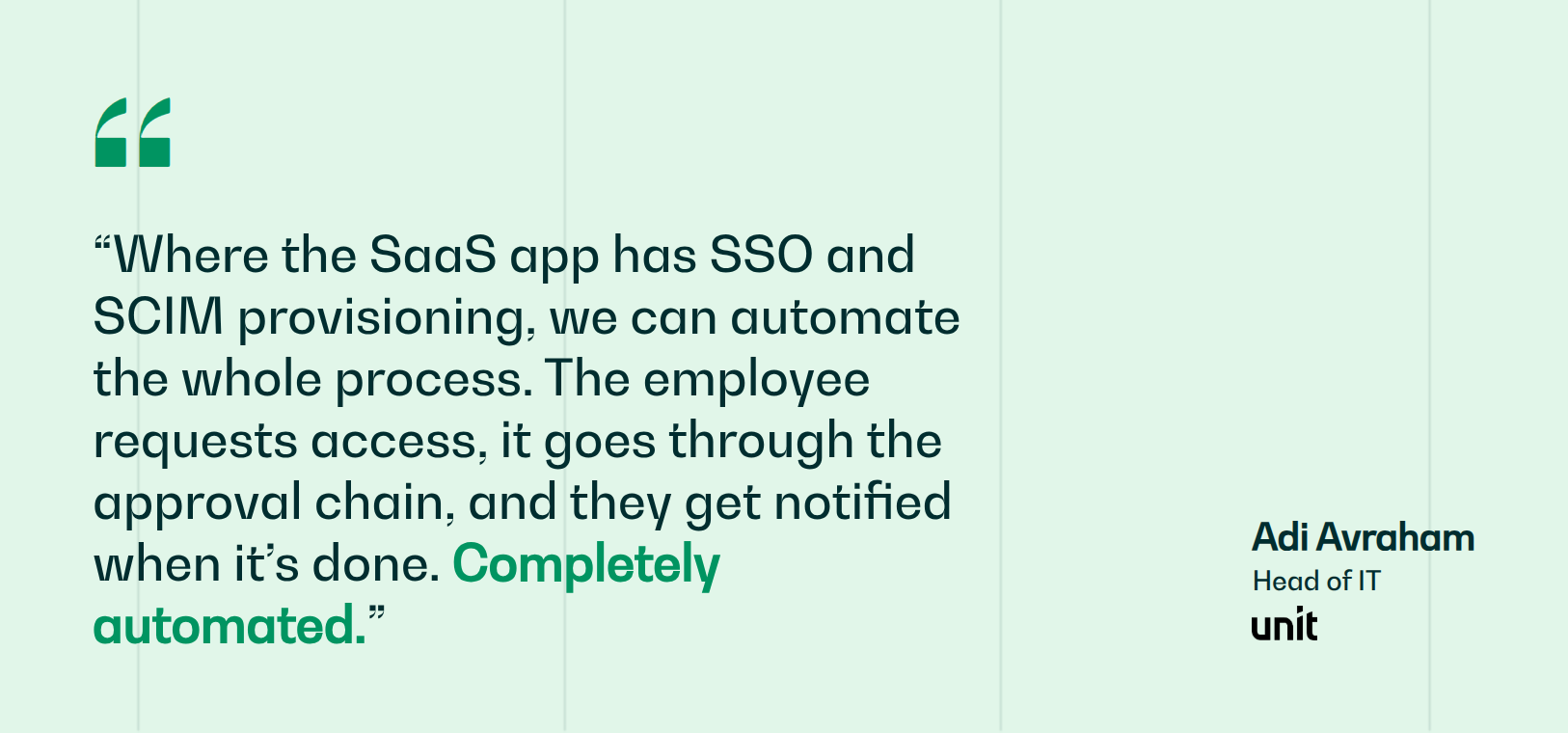
For small IT teams, that usually means buying configured agents rather than building them. Unit runs 200+ employees across three countries on a two-person IT team with a 60% cut in helpdesk labor, avoiding one to two additional hires. Access requests are the reason: where an application supports SSO and SCIM, the request routes through its approval chain and provisions itself, so the highest-volume ticket type in most companies stops reaching a human at all. Agents resolve tickets the same way across IT, HR, and Finance, and the audit trail Unit's SOC 2 process depends on maintains itself.
Book a demo to see how Siit resolves IT, HR, and Finance requests end-to-end inside Slack and Teams.



FAQ

AI agents are software that completes tasks across your systems rather than only answering questions about them. The practical difference from a chatbot is execution: an agent handling a software access request will verify the requester's role against your HRIS, route the approval to their manager, provision the license in your identity provider, and log the whole chain, where a chatbot would draft a reply and hand it to a human. For a small business the appeal is that repeatable admin work stops scaling with headcount, since the same password resets and onboarding tasks arrive whether the company is 50 people or 500. The savings are not automatic. They appear when you redesign one high-volume workflow around the agent, not when you bolt a bot onto a broken intake channel.
Three genuinely free options cover different situations. AutoGen and CrewAI's core framework are open source, so cost is your development time. n8n's Community Edition is free and self-hosted with no execution limits if you can run your own server. Zapier's free tier handles two-step workflows, which is enough to prove a simple automation works. For customer-facing support, Tidio's free tier includes a limited number of Lyro conversations. The trap is a free tier that shapes your architecture around limits you will hit in month two, so check the price of the paid tier you would actually land on before you build on the free one.
A no-code platform with pre-built agents can resolve real requests within days, because the workflows and integrations already exist and you are configuring rather than constructing. Low-code platforms take longer in proportion to how many systems the workflow crosses. Developer frameworks are measured in months, since you are writing the orchestration, the error handling, and the audit trail yourself. The variable that predicts timeline better than the platform is how much of your approval policy is already written down: teams that know exactly who approves contractor access move fast, and teams that have to decide it mid-implementation do not.
For deflection-style workflows, yes, and the quality of your documentation caps the result. For action-based workflows it matters much less, because access requests, provisioning, and equipment orders draw on identity and HRIS data rather than written articles. That makes action workflows the better first project for teams with thin documentation, and it inverts the usual advice to start with FAQ deflection. Build documentation in parallel, prioritizing whatever the agent escalates most often.
Anything where a wrong action is expensive and hard to reverse. Terminations and offboarding, access to systems holding regulated data, anything touching payroll, and any customer conversation with reputation or contract risk. A useful rule is to tier by consequence rather than by category: low-sensitivity applications can provision automatically, standard applications need the manager plus the system owner, and sensitive systems add an executive approver. Pair that with an audit trail on every automated action, so you can promote a workflow to full autonomy on evidence rather than optimism.